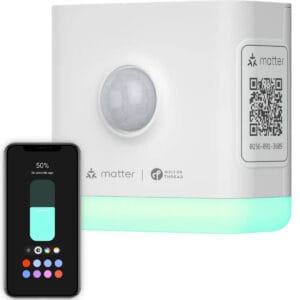
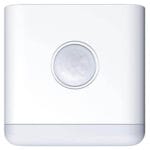
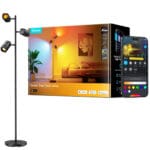
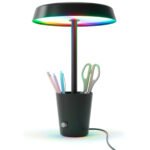
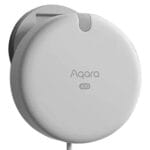
The Thirdreality Smart Night Light-T from Thirdreality uses Matter over Thread to connect to your smart home. Thread is a low-power mesh network built for devices like a Illuminance, Lamp, Motion. Devices pass messages to each other, so the mesh gets stronger and reaches further with every router you add.
In a Thread network, the Thirdreality Smart Night Light-T works as a Router (FTD).
Border Router (TBR)
A Thread Border Router connects your Thread devices to your home network, so no extra hub is needed.
Router (FTD)
A Thread Router stays powered on and relays messages for other devices, extending the range of your network.
End Device (MTD)
A Thread End Device talks to nearby routers and does not relay messages, which saves power and battery life.
Every Thread router you add makes your mesh stronger and extends its range. See all Thread devices →
Matter Version
Matter 1.4
The Thirdreality Smart Night Light-T is certified on Matter 1.4, released in November 2024. It added solar panels, batteries, heat pumps, water heaters and home routers with Thread built in. It also brought energy management, easier multi-platform setup and longer battery life for sensors.
Frequently Asked Questions
Does the Thirdreality Smart Night Light-T need a smart hub?
Yes. The Thirdreality Smart Night Light-T needs a Thread Border Router to reach your home network, plus a Matter controller from your platform. Most devices handle both, like a HomePod mini, Google Nest Hub (2nd gen) or Amazon Echo (4th gen). See all border routers
Does the Thirdreality Smart Night Light-T work without internet?
Yes. Matter runs on your local network, so the Thirdreality Smart Night Light-T keeps working when your internet goes down. Remote access, voice assistants and some Thirdreality cloud features may still need a working connection.
Does the Thirdreality Smart Night Light-T work with Apple Home, Google Home, Alexa and Home Assistant?
Yes. The Thirdreality Smart Night Light-T is Matter certified, so it works with Apple Home, Google Home, Amazon Alexa, Samsung SmartThings and Home Assistant, as long as the platform supports Illuminance, Lamp, Motion devices. Support for newer device types can differ per platform.
Do I need the Thirdreality app to use the Thirdreality Smart Night Light-T?
No. Any Matter hub can set up and control the Thirdreality Smart Night Light-T without the Thirdreality app. Some advanced features may not be part of Matter yet, so settings like firmware updates or special modes can still require the Thirdreality app.
How do I set up the Thirdreality Smart Night Light-T?
Open your smart home app, choose to add a device and scan the Matter QR code on the Thirdreality Smart Night Light-T or its packaging. You can also type in the 11-digit Matter code instead. The app guides you through the rest. Keep the code safe, you need it again after a reset.