Available from
Amazon.co.uk
Amazon.de
Amazon.nl
Amazon.fr
Amazon.it
Amazon.es
Amazon.se
Notes and annotations
N/A

The Complete Matter Device List
N/A
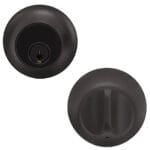
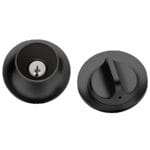
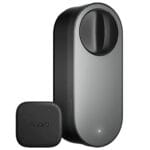
The Level Bolt Deadbolt Lock from Level uses Matter over Thread to connect to your smart home. Thread is a low-power mesh network built for devices like a Lock. Devices pass messages to each other, so the mesh gets stronger and reaches further with every router you add.
In a Thread network, the Level Bolt Deadbolt Lock works as a End Device (MTD).
Border Router (TBR)
A Thread Border Router connects your Thread devices to your home network, so no extra hub is needed.
Router (FTD)
A Thread Router stays powered on and relays messages for other devices, extending the range of your network.
End Device (MTD)
A Thread End Device talks to nearby routers and does not relay messages, which saves power and battery life.
Every Thread router you add makes your mesh stronger and extends its range. See all Thread devices →
The Level Bolt Deadbolt Lock is certified on Matter 1.2, released in October 2023. It added nine device types: refrigerators, air conditioners, dishwashers, washing machines, robot vacuums, smoke and CO alarms, air quality sensors, air purifiers and fans.
Yes. The Level Bolt Deadbolt Lock needs a Thread Border Router to reach your home network, plus a Matter controller from your platform. Most devices handle both, like a HomePod mini, Google Nest Hub (2nd gen) or Amazon Echo (4th gen). See all border routers
Yes. Matter runs on your local network, so the Level Bolt Deadbolt Lock keeps working when your internet goes down. Remote access, voice assistants and some Level cloud features may still need a working connection.
Yes. The Level Bolt Deadbolt Lock is Matter certified, so it works with Apple Home, Google Home, Amazon Alexa, Samsung SmartThings and Home Assistant, as long as the platform supports Lock devices. Support for newer device types can differ per platform.
No. Any Matter hub can set up and control the Level Bolt Deadbolt Lock without the Level app. Some advanced features may not be part of Matter yet, so settings like firmware updates or special modes can still require the Level app.
Open your smart home app, choose to add a device and scan the Matter QR code on the Level Bolt Deadbolt Lock or its packaging. You can also type in the 11-digit Matter code instead. The app guides you through the rest. Keep the code safe, you need it again after a reset.
Noticed an error? Submit a correction form.
SITE LINKS
Blog • News • About • Privacy Policy
BY PROTOCOL
Bluetooth • Thread • Wi-Fi • Ethernet
BY DEVICE TYPE
BY MANUFACTURER
DEVICE DATABASE
FOLLOW US