1225 Total devices
Ko-Fi

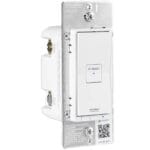
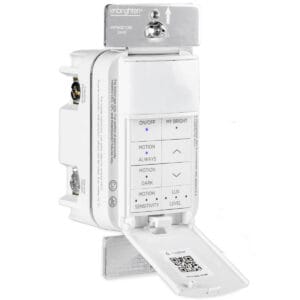
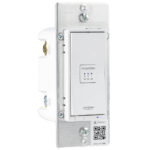
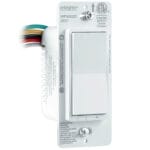
Enbrighten Pro Motion Dimmer

Enbrighten Pro Motion Dimmer

Device Info

Manufacturer:
Model:
Protocol:
Thread Role:
Vendor ID:
Product ID:
Certificate ID:
Date Certified:
Matter Version:
Device Type:
80980
N/A
0x1124
0x0a0a
CSA2523DMAT45455-24
07.05.2025
1.1

Available from

Amazon.co.uk
Amazon.de
Amazon.nl
Amazon.fr
Amazon.it
Amazon.es
Amazon.se

Notes and annotations

An in-wall dimmer with a built-in motion sensor that turns lights on automatically, plus a MyBright button that recalls your favorite brightness level with one touch.
Matter Protocol

The Enbrighten Pro Motion Dimmer from Enbrighten connects to your smart home over Wi-Fi. It joins your existing network directly, without a Thread Border Router or extra hub, and your Matter controller reaches it through your home router.

Wi-Fi Band

Most Matter Wi-Fi devices only connect on 2.4 GHz. If your router combines 2.4 and 5 GHz under one SSID, split them to avoid issues.

Same Network

Your phone, your controller and the device must be on the same network. Guest networks and separate VLANs can block Matter.

Power Use

Wi-Fi uses more power than Thread, so most Matter over Wi-Fi devices run on mains power instead of batteries.

Every Matter device needs a Matter controller, like a smart hub, display or speaker. See all Matter hubs →

Matter Version

Matter 1.1

The Enbrighten Pro Motion Dimmer is certified on Matter 1.1, released in May 2023. This update added no new device types. It improved support for battery-powered devices that sleep most of the time, so they last longer and show as offline less often.

Frequently Asked Questions

Does the Enbrighten Pro Motion Dimmer need a smart hub?

Yes, but only a Matter controller from your platform, not a separate bridge. The Enbrighten Pro Motion Dimmer connects straight to your home network. The controller can be an Apple home hub, a Google Nest speaker, an Amazon Echo or Home Assistant.

Does the Enbrighten Pro Motion Dimmer work without internet?

Yes. Matter runs on your local network, so the Enbrighten Pro Motion Dimmer keeps working when your internet goes down. Remote access, voice assistants and some Enbrighten cloud features may still need a working connection.

Does the Enbrighten Pro Motion Dimmer work with Apple Home, Google Home, Alexa and Home Assistant?

Yes. The Enbrighten Pro Motion Dimmer is Matter certified, so it works with Apple Home, Google Home, Amazon Alexa, Samsung SmartThings and Home Assistant, as long as the platform supports Motion, Wall Dimmer devices. Support for newer device types can differ per platform.

Do I need the Enbrighten app to use the Enbrighten Pro Motion Dimmer?

No. Any Matter hub can set up and control the Enbrighten Pro Motion Dimmer without the Enbrighten app. Some advanced features may not be part of Matter yet, so settings like firmware updates or special modes can still require the Enbrighten app.

How do I set up the Enbrighten Pro Motion Dimmer?

Open your smart home app, choose to add a device and scan the Matter QR code on the Enbrighten Pro Motion Dimmer or its packaging. You can also type in the 11-digit Matter code instead. The app guides you through the rest. Keep the code safe, you need it again after a reset.

Noticed an error? Submit a correction form.